Bills & invoices

Bills in. Invoices out. Nothing re-typed.

Drop in a supplier PDF and it comes back as a draft entry with the source document attached. Customer invoices run through the same gate. You review what the AI did, fix the exceptions, and approve.
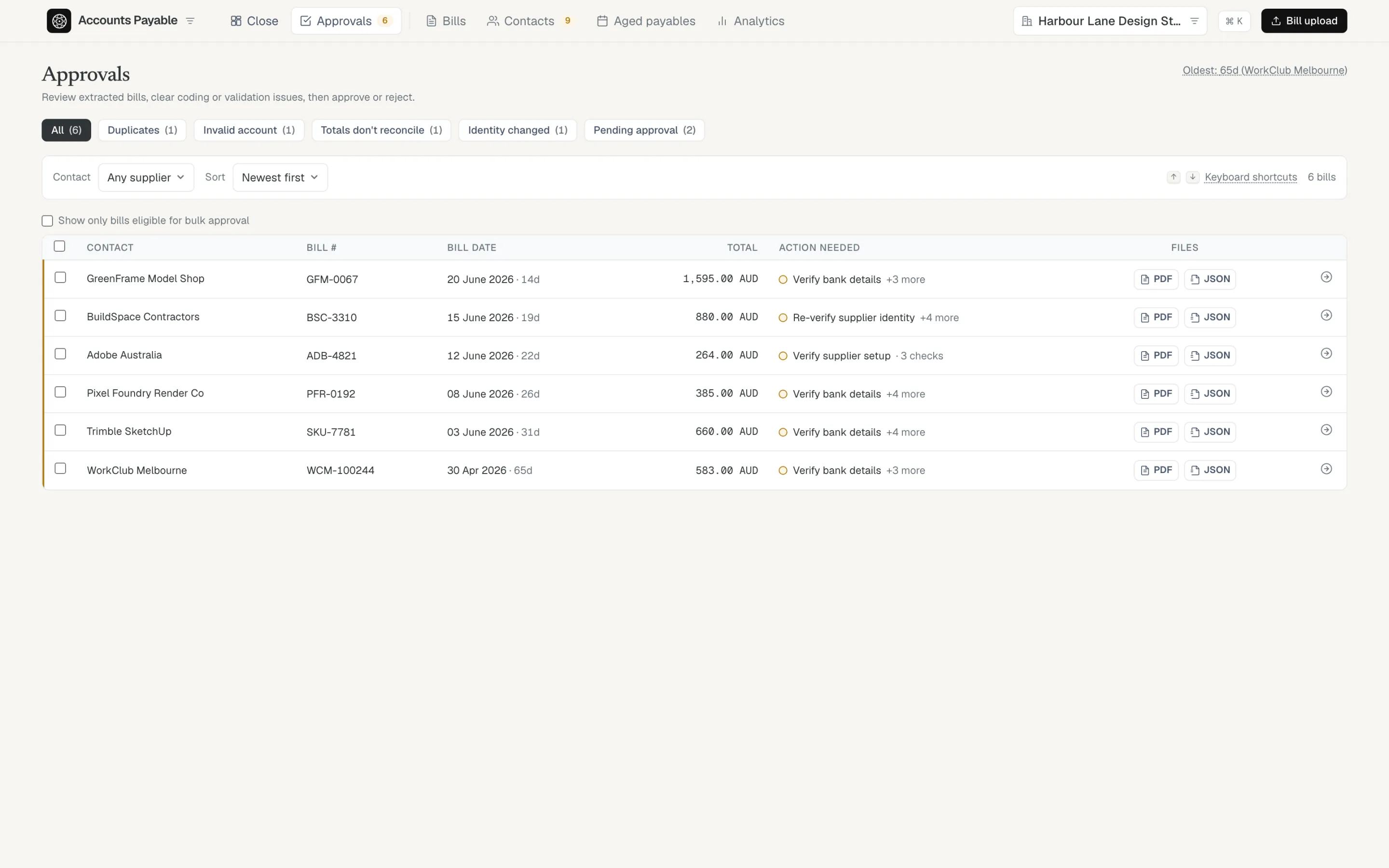
The approvals queue: each bill shows the one action it needs before it can be approved, filtered by duplicates, invalid accounts, unreconciled totals, and identity changes.

The review queue names the one thing each bill needs. Clear it from the keyboard — J/K to move, A to approve.
● AI provenance

See exactly what the AI did — before it counts.

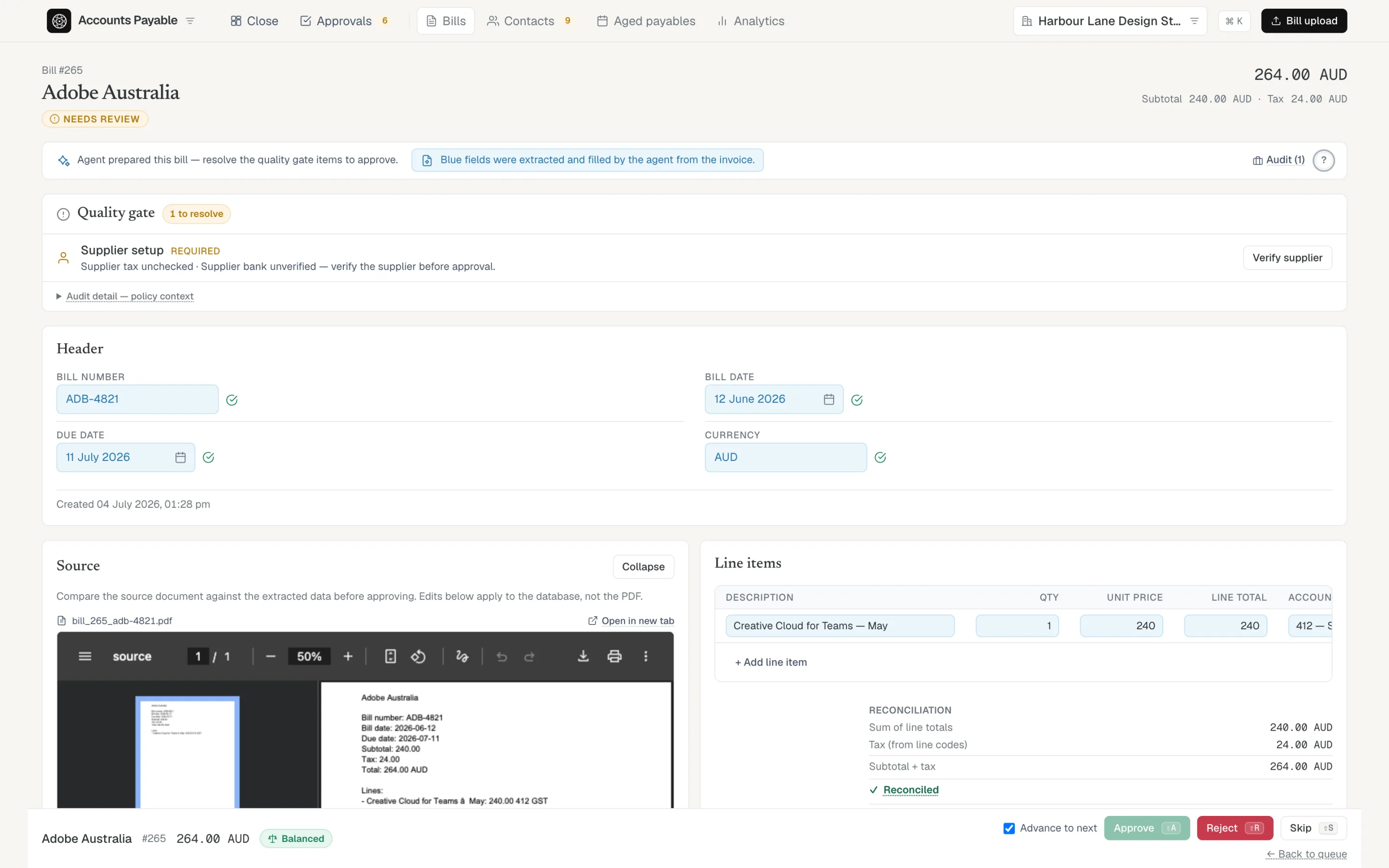
Every field the AI filled is pale blue, with the source document open beside it. Check a value against the invoice and tick it verified, or just edit it — either way the blue clears and the audit trail records who confirmed what, and when.

Approval is the only gate. Once a bill is approved it’s fully export-ready; there’s no second cleanup pass hiding behind month-end.

Bill detail: the source PDF beside the entry, AI-filled fields in blue with verify ticks, a quality gate above, and an explicit Approve / Reject bar.
● Customer invoices

Receivables on the same gate, not a separate tool.

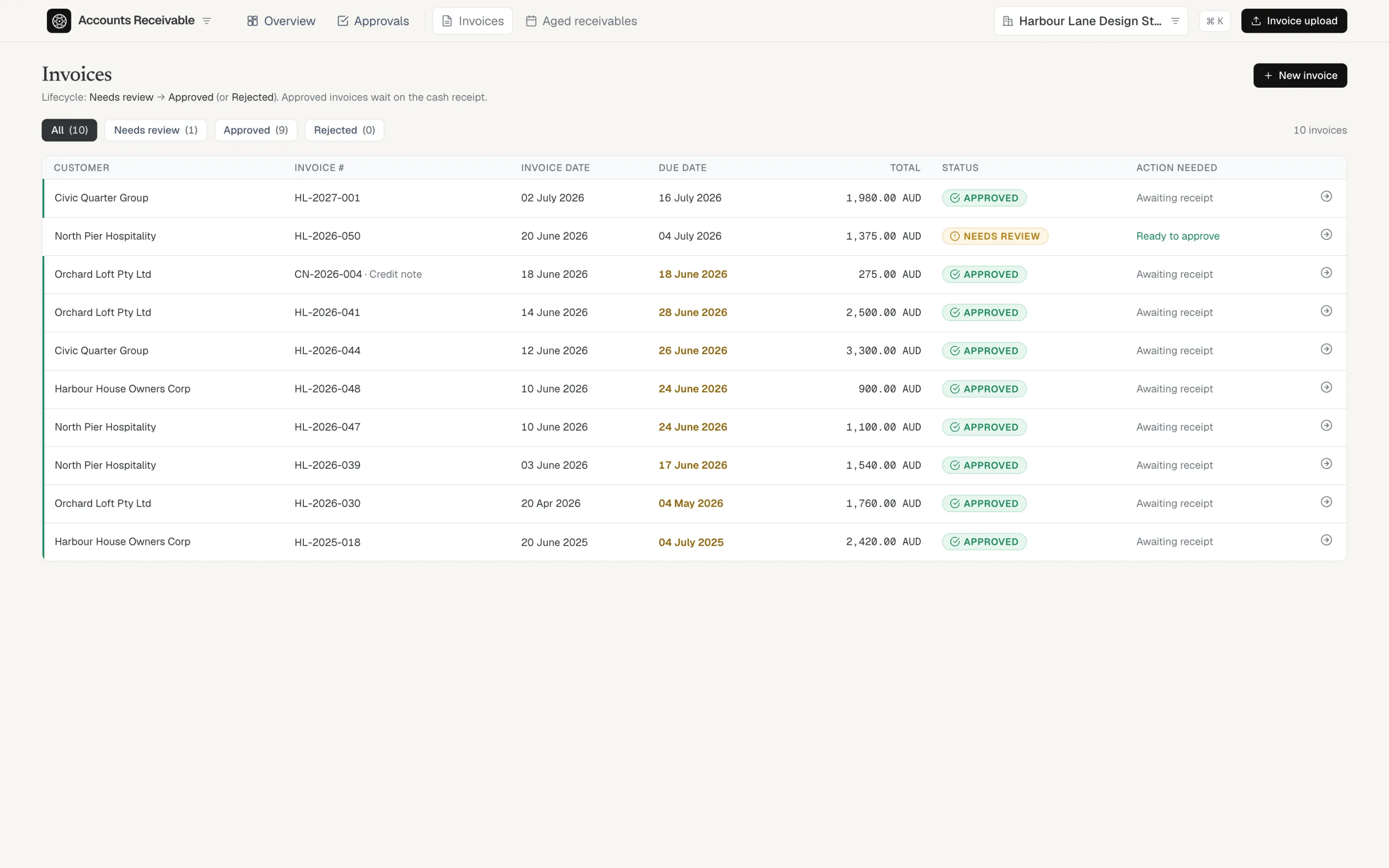
Customer invoices mirror the bill lifecycle: needs review, then approved, with credit notes handled the same way. Receipts are matched when the money lands in the bank, so an invoice is never “paid” by assumption.

The words change — customers, invoices, receipts — but the discipline doesn’t.

The customer invoice register: approved invoices awaiting receipt, one in review, and a credit note, each with its status and the action it needs.
✓ Aged from the invoice date

Know who owes you, and for how long.

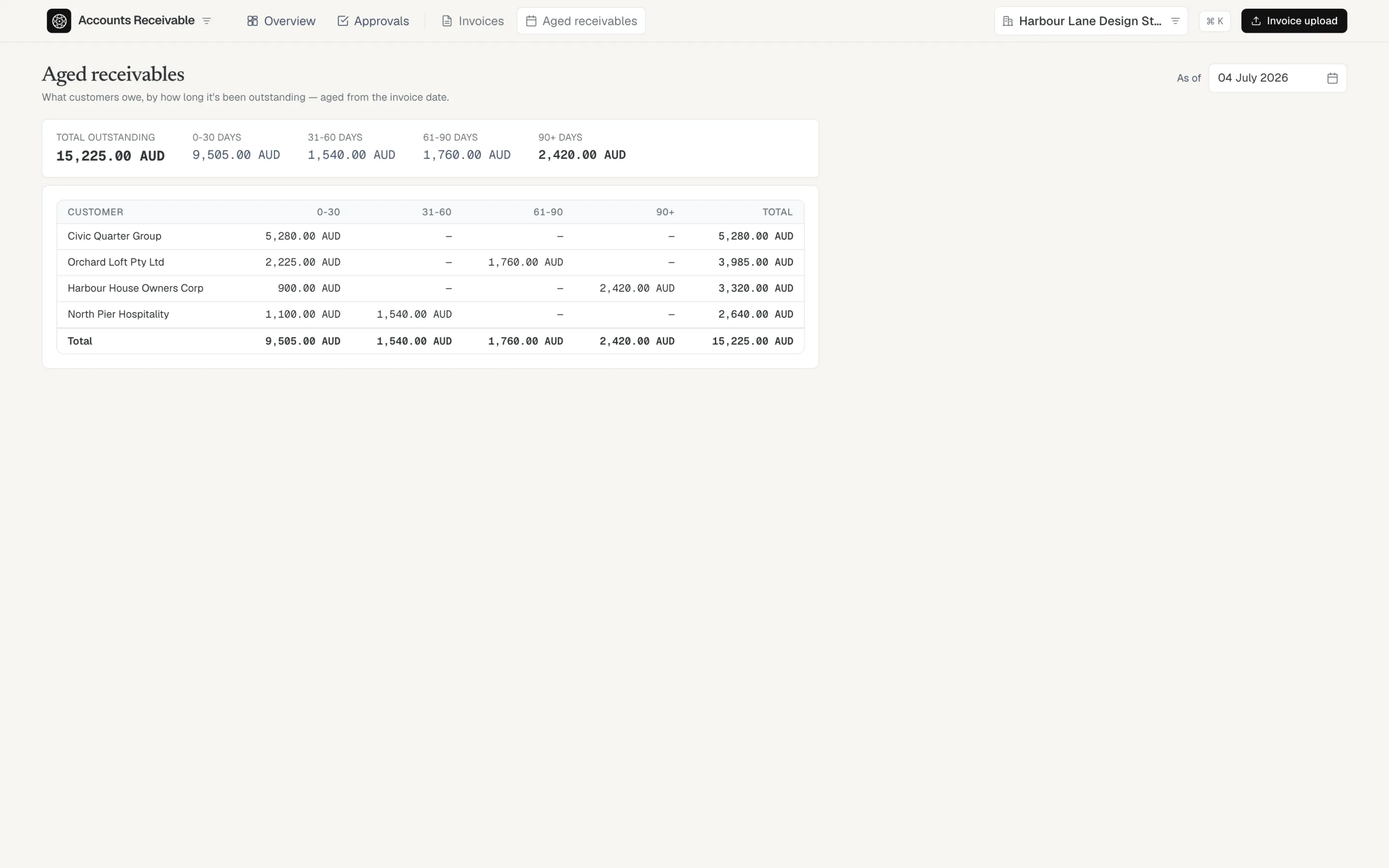
Aged receivables and aged payables come straight from the documents you approved — no export, no spreadsheet. Every bucket drills back to the invoices inside it.

Aged receivables: total outstanding split into 0–30, 31–60, 61–90 and 90+ day buckets by customer.
The quality gate

Amber means it needs you. There’s no “approve anyway.”

Every data-quality issue gates approval — fixed, or explicitly acknowledged with your name on it. Nothing is waved through.

Duplicates

A second copy of an already-recorded bill is caught before you pay it twice, with the original beside it for comparison.

Totals that don’t reconcile

Line totals must add up to the bill total. A minor balancing variance needs a typed reason; a real mismatch has to be fixed.

A supplier who changed

If an invoice arrives with a different ABN or bank account than the verified supplier record, approval stops until you adopt the change or reject the bill.

Lines the AI couldn’t place

The AI never invents an account code. An uncertain line comes back blank and you assign it in the gate — or add the missing account without leaving the bill.

Keep exploring

Approved documents feed the rest of the ledger.

Stop typing invoices.

We are opening AccLines to a small group of teams who want AI speed without giving up control of the ledger.

Request early access